
采芳

Wayside flowers,
kept in a little vase

Spotted a pretty wildflower or a bright red leaf on your walk? Snap it. Caifang cuts it out into a white-bordered sticker, tucks it into a little vase and signs it for you to share.

Coming soon to the App Store

iPhone · iOS 17 or later · English / 中文

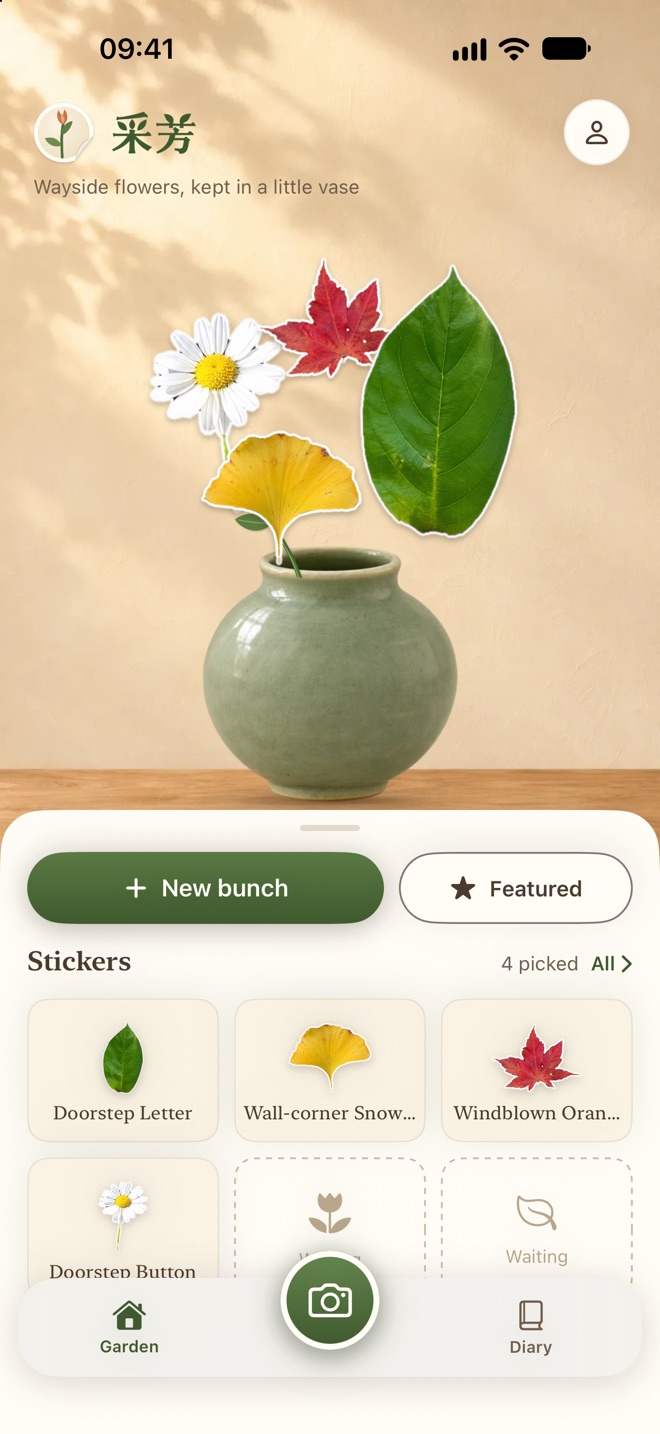
Caifang home: a daisy, a ginkgo leaf and a maple leaf in a celadon vase
PICK

One photo, one sticker

Photograph a flower or leaf, or choose one from Photos. It's cut out on your phone into a white-bordered sticker with a little name of its own. Holding it in your hand? Your fingers are removed. Several in one photo? Tap the ones you want. Touch up the edges with your finger.
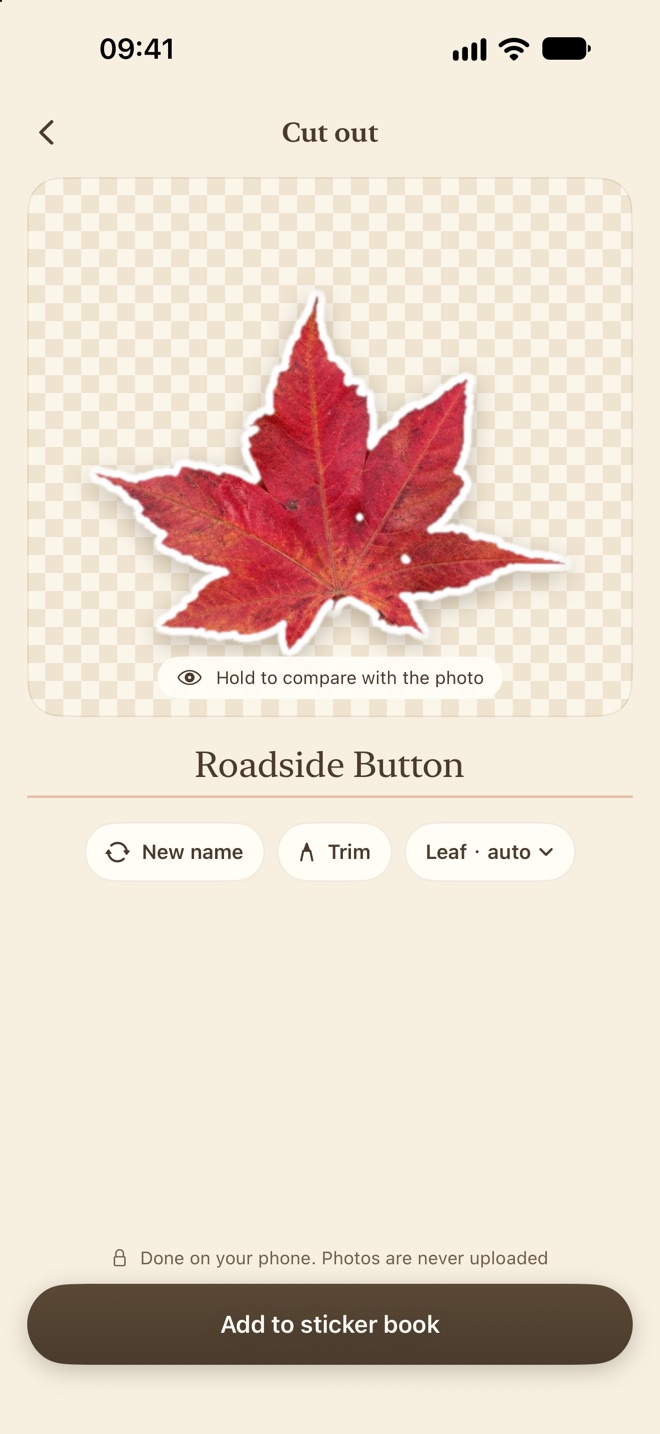
Cut-out screen: a red maple leaf as a white-bordered sticker
ARRANGE

Tuck it into a vase

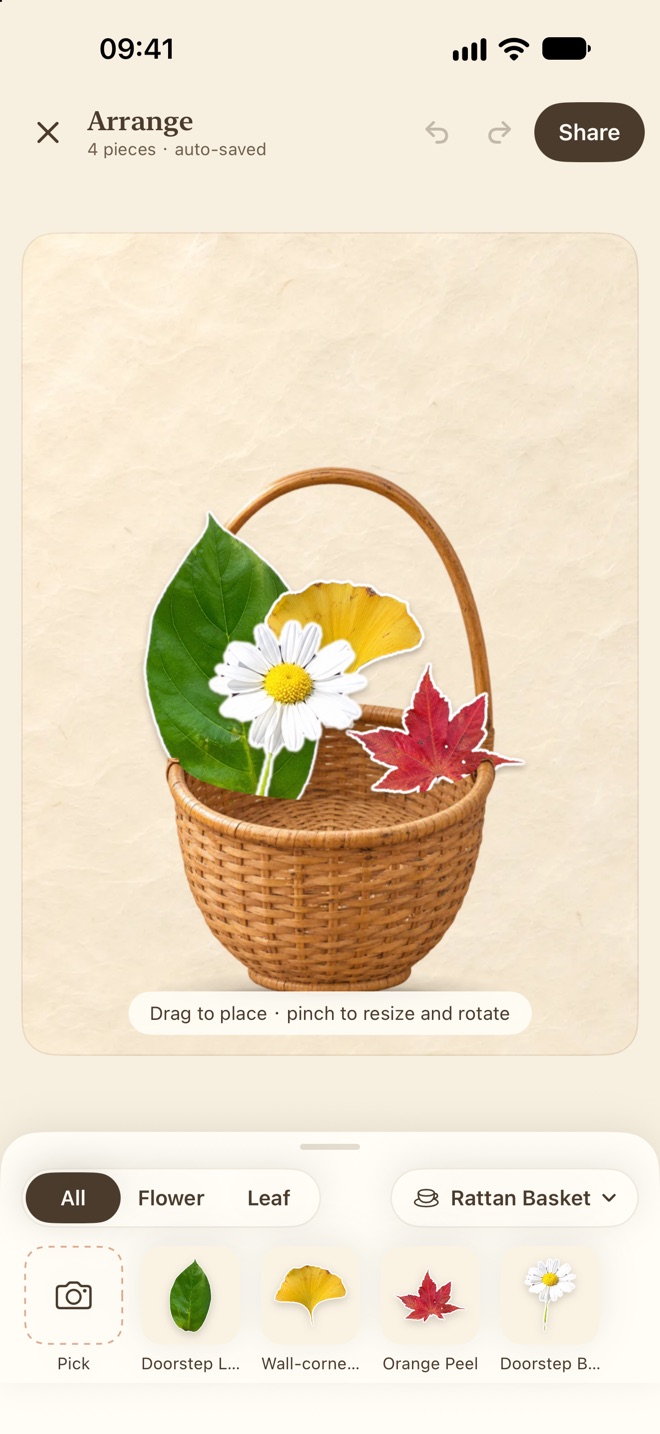
Glass bottles, celadon jars and rattan baskets — or press it in an old book or a specimen frame. Stems are added for you; drag with one finger, pinch and twist with two.

Arrange screen: leaves and a daisy in a rattan basket
SHARE

Sign it, add a seal

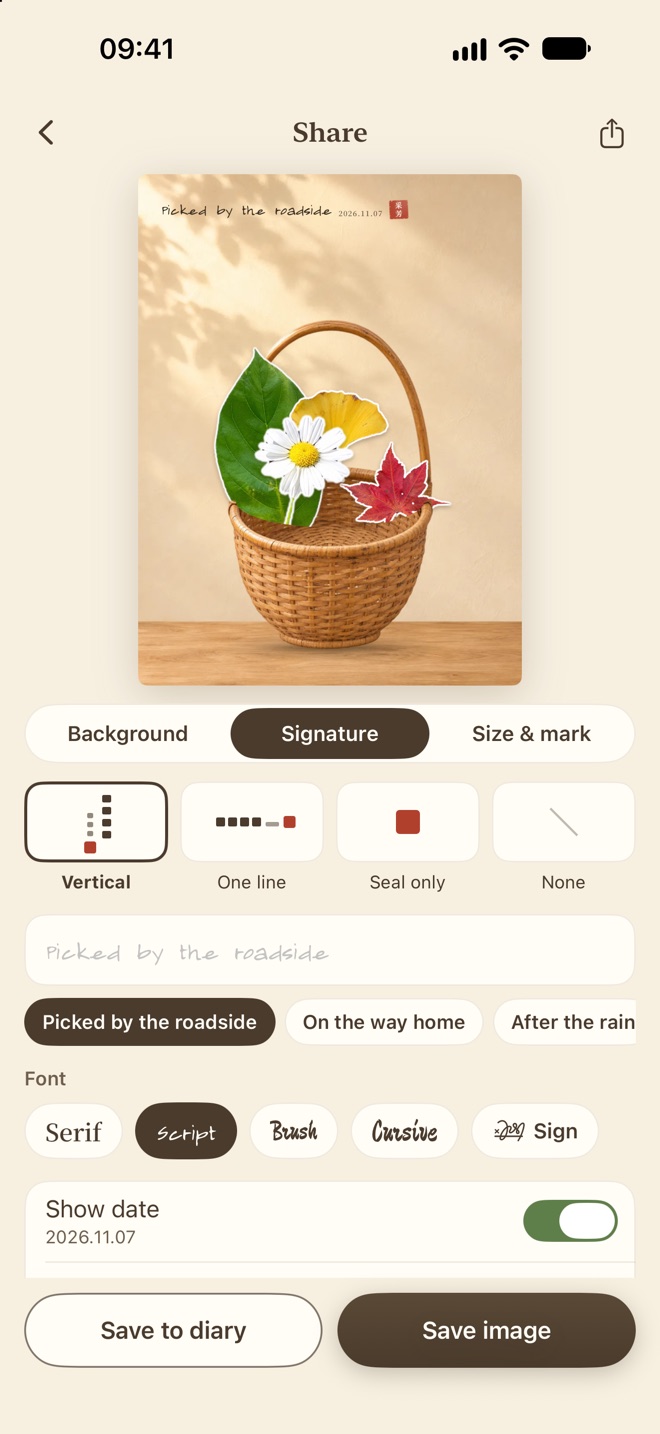
Pick a background, write a line like “Picked by the roadside”, add the date and a little red seal, then save or share.

Share screen: a signed picture with a seal
REMEMBER

A diary of bunches

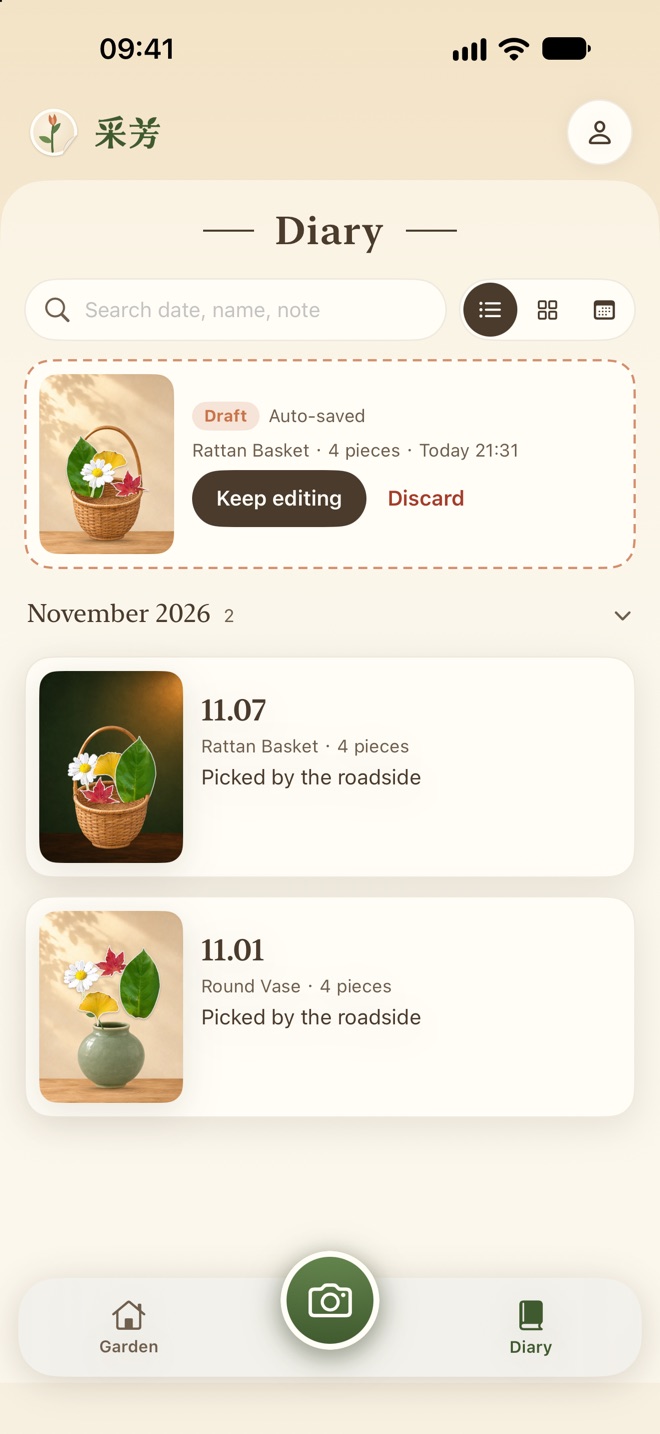
Every bunch goes into your diary, so you can flip back through the seasons and see which days you went out.

Diary: bunches listed by month

Only on your phone

Nothing uploaded

Cutouts are made on your iPhone with Apple's Vision. Photos and stickers stay on this phone.

No account

Open it and start. No sign-up, no login, and no server waiting for your photos.

No ads

No analytics, ads or tracking. Basic styles are free; “All Styles” is a one-time purchase.